TakeSheet
Log every take on every phone, even with no signal
TakeSheet is a shoot-day app for independent crews. Camera, sound and script each log on their own phone, the logs match up as you shoot, and at wrap your editor gets files that open in Avid, Resolve and Premiere.
Free while we test it. No account and nothing to install.
For every department on a small shoot
Made for short films, first features, documentaries and ads, where there's no data wrangler and every minute on set counts. Each person sees only the job they picked.
Camera
Log clips, lens and stop for your camera. Clip names come out in your camera's own format.
Sound
Log sound rolls, wild tracks and room tone, and who is on which mic.
Script
Write notes on every take and mark the director's picks.
AD
Plan the day, send a simple call sheet and tick scenes off the board.
Producer
See every department's log from your own phone, and wrap the day.
Editor
Get files that open in your edit software, with the circled takes already marked.
The log is where a shoot day quietly goes wrong
Most small crews log the way it was done on paper. Here's what changes.
- Logging
- Today
Each department writes on paper or in a notes app, and someone types it all up at night.
- With TakeSheet
Each department logs on its own phone, and the logs join up as you shoot.
- Take numbers
- Today
Camera and sound drift apart, and nobody finds out until the edit.
- With TakeSheet
The Takes screen shows when two departments disagree, while you're still on set.
- The edit
- Today
Your editor matches sound to picture by hand from a scanned sheet.
- With TakeSheet
Your editor gets ALE, EDL and CSV files with clip names, sound files and circled takes.
- No signal
- Today
Shared sheets and chat apps stop working on location.
- With TakeSheet
TakeSheet works offline. Phones catch up when they find signal, or you share the day as a file on WhatsApp.
How a shoot day works
Four steps, from call time to wrap. These are real screens, with an example film.
Set up the day and invite your crew
Add your film, your cameras and your sound recorder. Send each person an invite on WhatsApp or show a QR code. They pick their job and type their name, and that's all.
Example 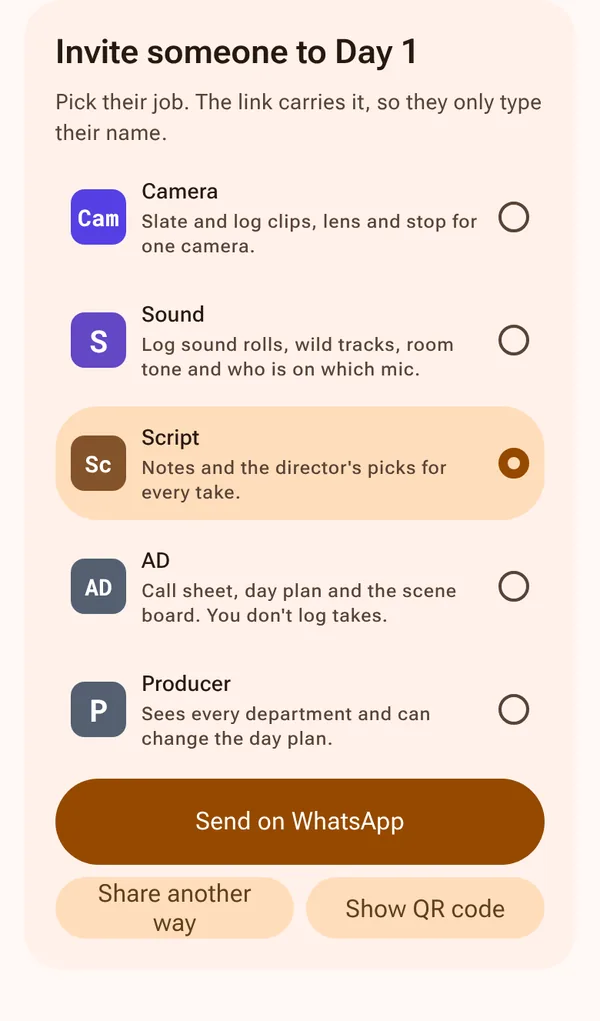
Roll and log every take
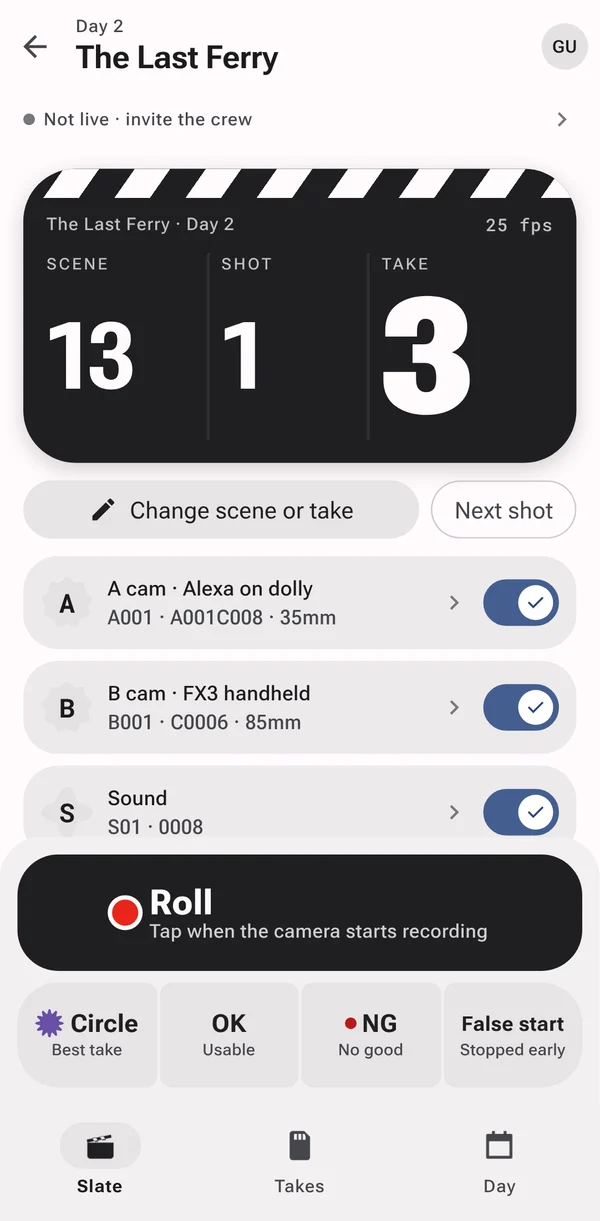
Whoever runs the slate taps Roll, then OK, NG or Circle. Every other phone follows the scene, shot and take, so nobody types a take number twice.
Example Check before you move on
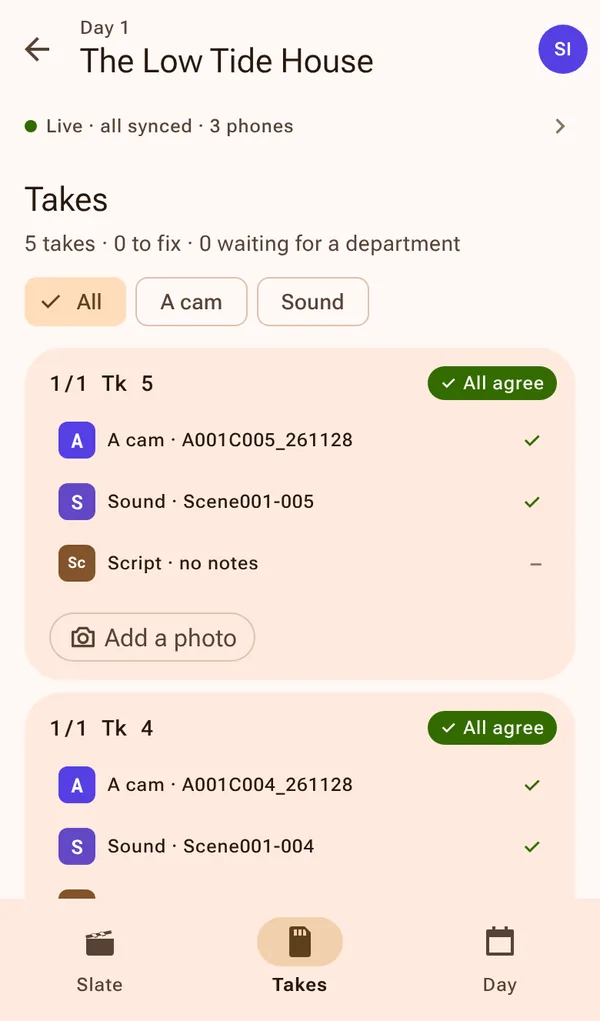
Each take shows what camera, sound and script logged. A take turns red when they disagree. Snap the monitor and the photos sit side by side, so you can see it was the same frame.
Example 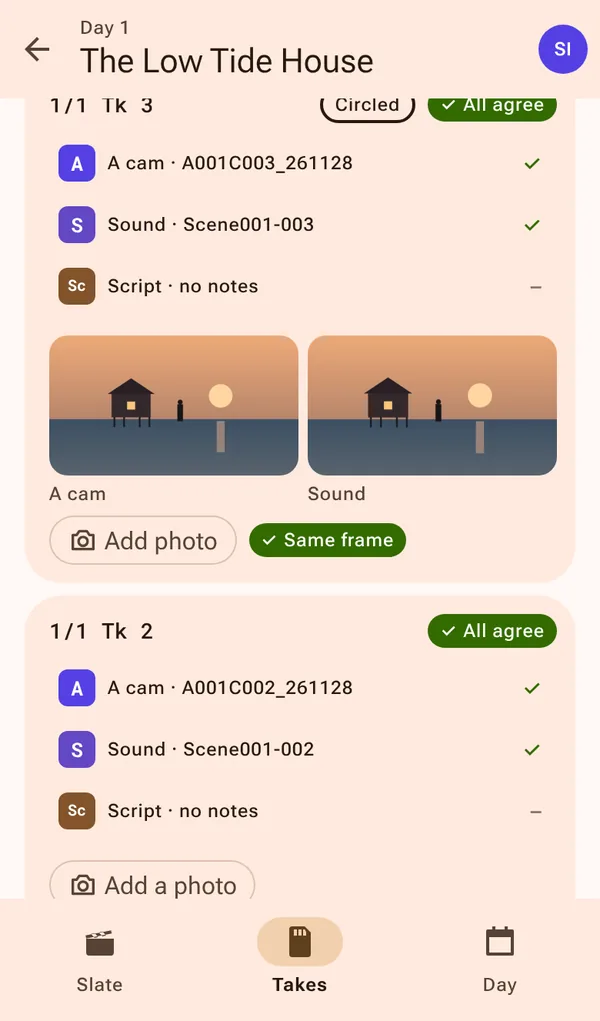
Wrap and hand it to your editor
The wrap check tells you if any department is missing a take. Then send your editor the files for Avid, Resolve or Premiere, and a day report you can print.
Example 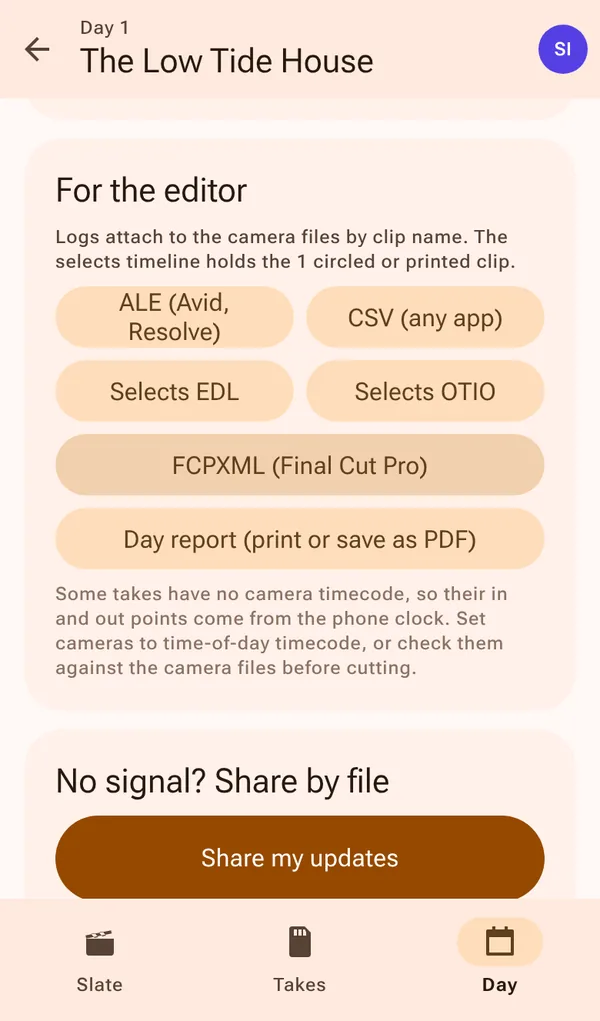
What's inside
Works without signal
Everything saves on the phone first. Live sync catches up when there's signal, and the day file travels on WhatsApp when there isn't.
Monitor photos
Take a photo of the monitor for any take. Photos from different departments sit side by side, and TakeSheet flags frames that don't match.
Your camera's clip names
Clip and file names follow the format of 28 cinema and mirrorless cameras and 9 sound recorders. Add your own camera if it isn't listed.
Files your editor can open
ALE for Avid, EDL and OTIO for Resolve and Premiere, CSV for anything else, and a day report to print or save as a PDF.
Notes in your language
Notes in Hindi, Malayalam, Tamil, Telugu, Kannada and Bengali show correctly on every phone.
No account, no footage
Nobody signs up. Logs and monitor photos pass through a private room for each shoot day so phones can sync. We never touch your footage.
Test TakeSheet on your next shoot
We're looking for crews shooting in the next few months to use it on real days and tell us what to fix. Any size of shoot, any language.
What you get
Use TakeSheet free on your shoot
Help setting it up for your crew before the day
Fixes for what gets in your way, made for your next day
What we ask
Log at least one real shoot day with it
Tell us what got in the way, in a short chat or a message
Send us your day file, if you're happy to share it
Questions crews ask
No. Every phone logs offline. When a phone finds signal, it catches up with the others. With no signal all day, each department shares its day file on WhatsApp at wrap, and TakeSheet merges them.
Any recent iPhone or Android phone, in Safari or Chrome. Add it to your home screen and it opens like an app. There's nothing to download from an app store.
No. On a small crew, one phone can run the slate and log for camera and sound. Add more phones when more people want to log.
Not yet. When you don't type in a timecode, in and out points come from the phone's clock, and the files say so. Ask your editor to check them against the camera files before cutting.
Nothing special. Avid opens the ALE, Resolve and Premiere open the EDL, and most tools open the CSV. The day report opens in any browser.
It's free while we test it. We'll tell everyone who tests it before anything about that changes.
On each phone that logs. While live sync is on, the day's logs and monitor photos also pass through a private room for that day, which only phones with the day's invite can join. The day file is an open format, so your logs are never locked into TakeSheet.
Yes. It's made by the same team, for the part of your film that happens on set. You don't need a Sketchbook Storyteller account to use it.